You hit send and nobody replies. Later you find your own email in someone's spam folder. Why are my emails going to spam? It's the question every sender asks, and it's fixable. This guide is for owners and marketers in India who send quotes, offers or newsletters. You'll learn what causes it, what Google now requires from every sender, and a seven-step fix you can start today. The advice comes from Google's own sender rules, not guesswork. We explain every technical term the first time it appears, so a small team can follow along.
Why are my emails going to spam?
Emails go to spam when an inbox provider decides a message looks untrustworthy, and it judges that from four things. The first is authentication, which proves the mail came from your domain. The second is how people reacted to your past emails, the third is the content of the message, and the fourth is whether the recipient asked for it. Google says messages that aren't authenticated might be marked as spam or rejected. Causes stack up, and a missing record plus a bought list adds up fast.
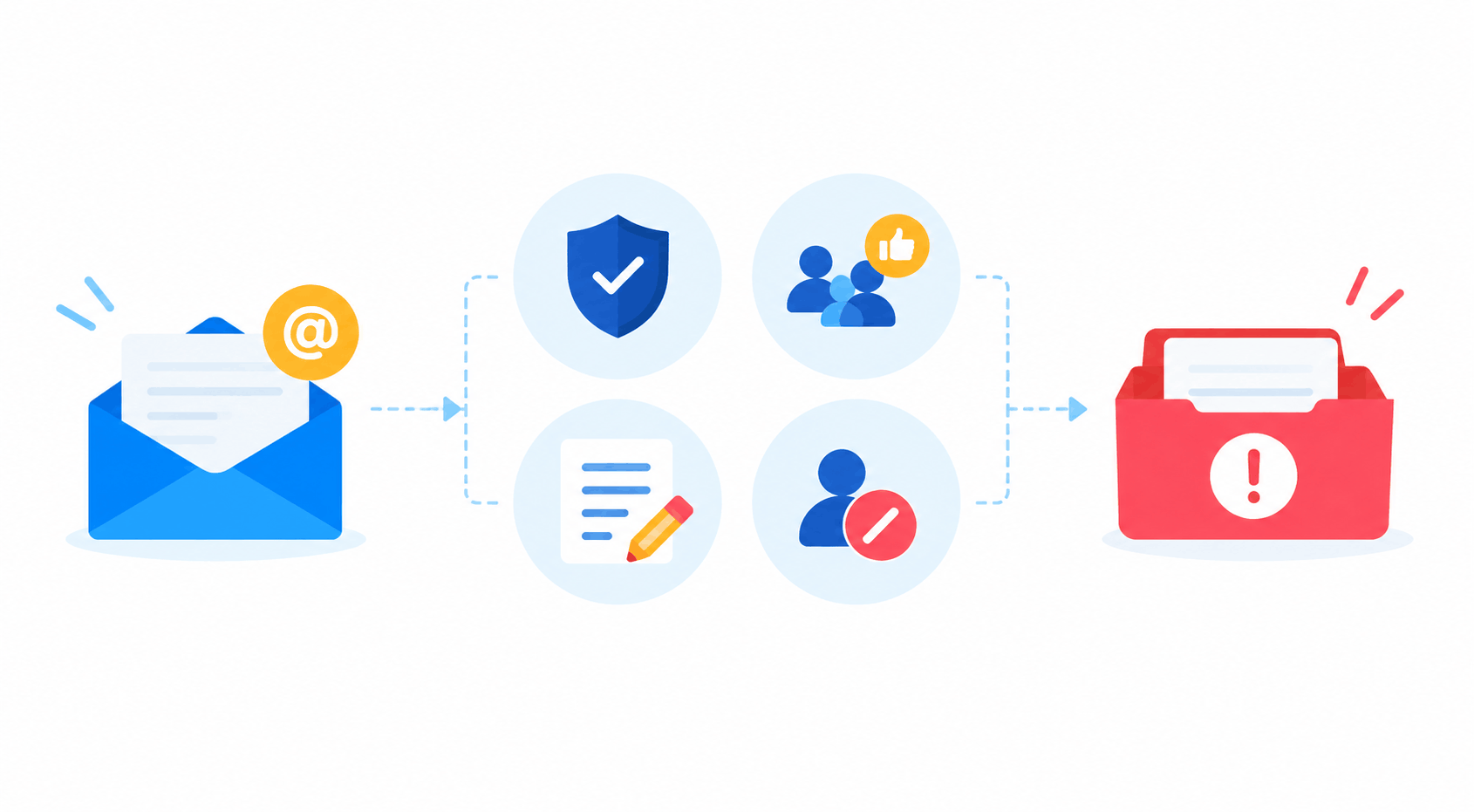
The spam folder isn't a verdict on your writing alone. It's a score built from technical checks and recipient behaviour.
What does landing in spam cost you?
Every email in spam is a quote, offer or reminder that nobody reads.
Example (assumed figures, not a benchmark): a Jaipur sweet shop emails a Diwali offer to 2,000 past customers. If 600 land in spam, that's 600 people who never see it. At a 2% response and ₹800 an order, the shop misses twelve orders, about ₹9,600.
Spam placement hides itself. Nobody tells you the email missed, so the silence looks like disinterest and you blame the offer.
The damage compounds, too. Google says that if messages from your domain are frequently reported as spam, the next ones face worse odds, and user reports can lower your domain's reputation over time.
How do inbox providers decide what's spam?
Inbox providers check who sent the message, how people reacted to earlier mail and what the message contains.
Since 1 February 2024, Google has required every sender to Gmail accounts to meet its sender rules, and the first test is authentication, which proves the mail really came from your domain, followed by reputation, which is built from spam reports and complaints.
Authentication checks happen before anyone reads a word. If they fail, even a perfect message can lose.
Gmail isn't the only provider, and each one keeps its own rules. Google's are public, though, so they make a fair baseline. If you pass them, you've fixed most of what any filter looks at.
Which causes put emails in spam?
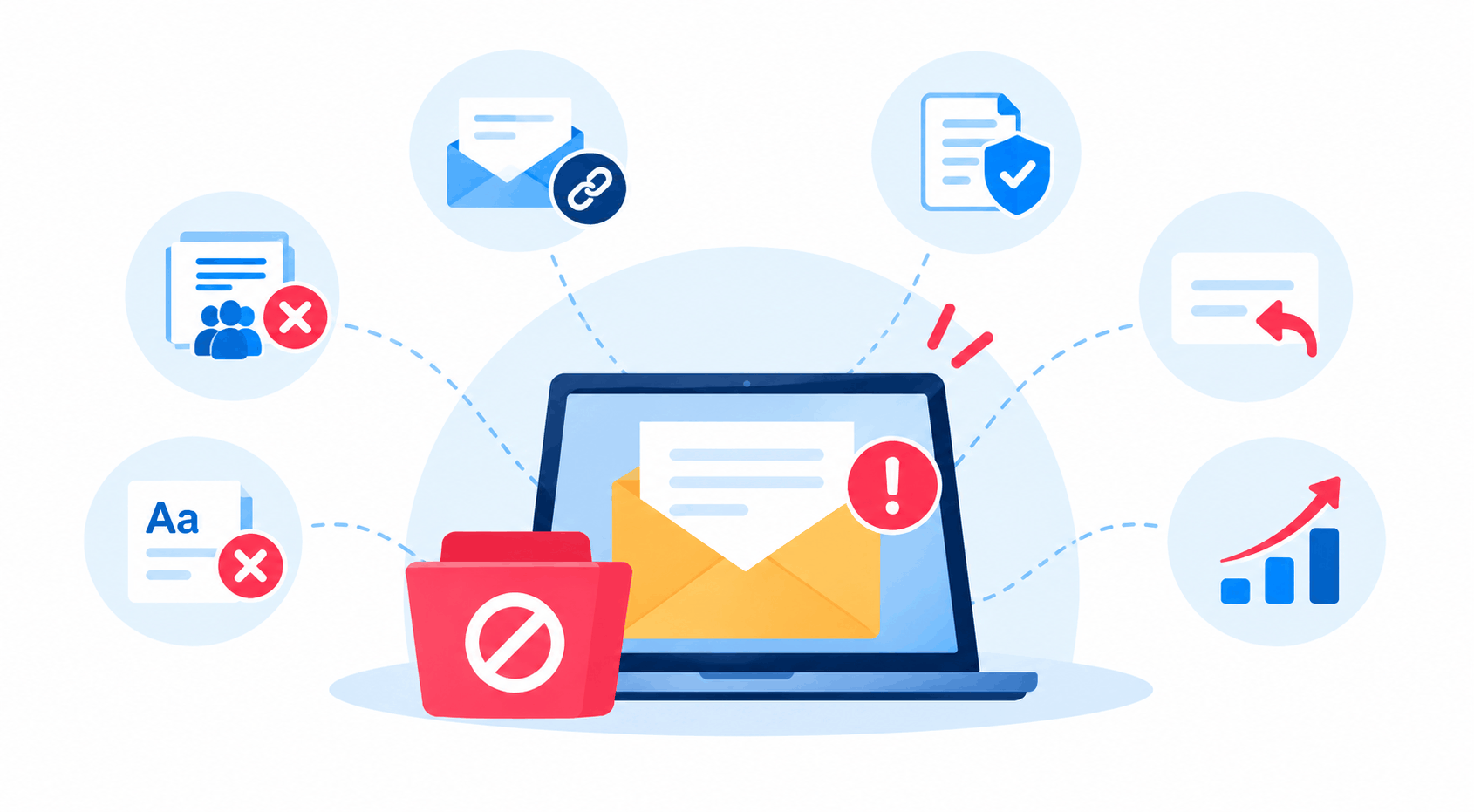
Six causes account for the problems you can fix, and the table pairs each one with its remedy.
| Cause | What you see | Fix |
|---|---|---|
| No authentication | Mail marked as spam or rejected | Set up SPF, DKIM, DMARC |
| Spam complaints | Spam rate above 0.10% | Mail only people who opted in |
| Bought or old list | Low opens, bounces | Clean it, confirm addresses |
| Misleading subject | Fake "Re:" or "Fwd:" | Say what's inside |
| Hidden content | Tiny text, unclear links | Keep everything visible |
| Blocklisted shared IP | Sudden drop for everyone on it | Check blocklists, ask your provider |
Fix the technical rows first. They're quick, and they're the ones Google now checks.
How do you stop emails going to spam, step by step?
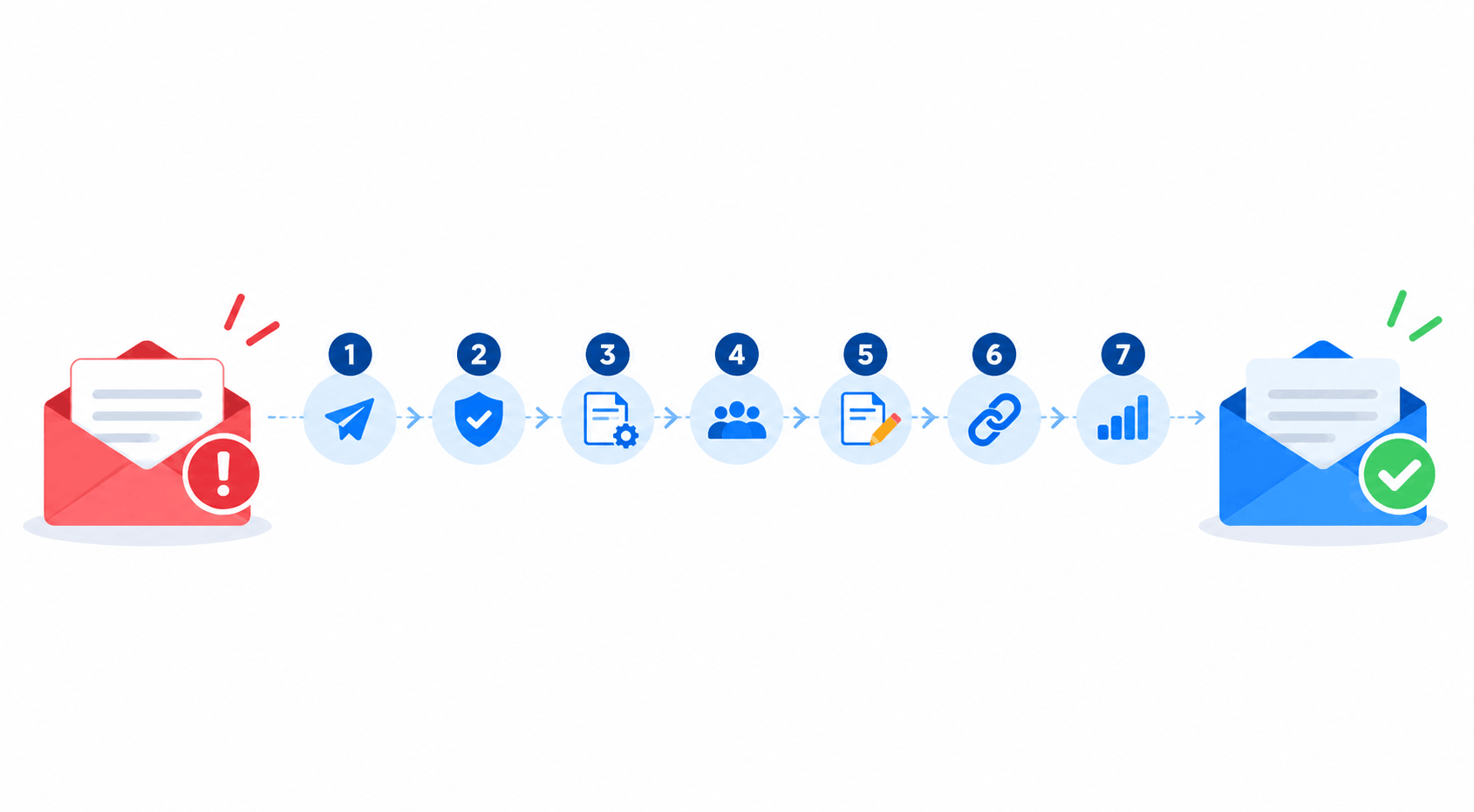
Seven steps take you from a spam-folder mystery to a clean sending setup.
- 1.Send a test to a Gmail and an Outlook address, and note where each lands.
- 2.Check SPF and DKIM on your sending domain.
- 3.Add DMARC. A policy of "none" is enough to start.
- 4.Look at your list. Remove anyone who never opted in.
- 5.Rewrite the subject line so it says what's inside.
- 6.Add an unsubscribe link that works in one click.
- 7.Watch your spam rate for a month before you send more.
Do steps 2 and 3 first. Together they take an afternoon.
What do SPF, DKIM and DMARC do?
SPF, DKIM and DMARC are three records you add where your domain is managed, and together they prove an email really came from you. A DNS record is a short line of text stored with your domain name, and your domain provider or IT person can add it.
SPF lists every service allowed to send for your domain. Google warns that if a third-party sender isn't in your SPF record, its mail has a higher chance of landing in spam. DKIM signs each message, and Google asks for a key of 1024 bits or longer, with 2048 recommended.
DMARC tells receiving servers what to do with mail that fails SPF or DKIM. Google lets bulk senders start with a policy of none.
How do you keep your spam rate low?
Keep it low by mailing only people who asked for your emails and by making it easy to leave.
Google says to keep the rate reported in Postmaster Tools below 0.10% and never reach 0.30%. That's one spam report in every 1,000 messages. Get opt-in, confirm each address, and send now and then to check people still want your mail. Check Postmaster Tools every week for the first month, because a rising line is your early warning. Remove addresses that bounce.
Sending more than 5,000 messages a day to Gmail? Your marketing mail must support one-click unsubscribe, with a visible link in the body. Our email marketing best practices cover list care in more depth.
What mistakes and challenges should you expect?
Spam problems start with a shortcut that felt harmless on the day.
- Mailing a bought or scraped list.
- Adding a new mailing tool and forgetting to put it in your SPF record.
- A subject line that starts with "Re:" when it isn't a reply.
- White text, hidden links and tiny print.
- Ignoring unsubscribes, so people hit "report spam" instead.
- Going from 200 emails a week to 20,000 overnight.
Common Mistake: fixing the content and skipping the records. Great copy can't rescue mail that fails authentication.
Pro Tip: send your next campaign to your most engaged contacts first. Google even suggests unsubscribing people who never open or read your messages.
What email trends matter in 2026?
Three shifts matter in 2026: authentication is required, one-click unsubscribe is expected, and India's DPDP Rules put consent in writing.
Google says Gmail will begin using a DMARC quarantine policy against anyone impersonating Gmail From: headers. Don't copy another sender's address, even as a shortcut.
India notified the DPDP Rules on 14 November 2025, with an 18-month phased timeline, and PIB says they require standalone, clear and simple consent notices. Record when and how each person agreed to hear from you.
Don't wait for a problem. Check your records once a quarter, because every new tool you add can change what passes. Ask each provider you use whether it supports DKIM and one-click unsubscribe. If you automate sends, our marketing automation guide explains how sending rules work.
What Should You Do Next?
Why are my emails going to spam? Because something on the sender side looks untrustworthy, and you can find it. Send a test to Gmail and Outlook today. Then fix SPF, DKIM and DMARC, clean your list and keep an eye on complaints for a month. Small fixes add up quickly, and each one is easy to check. If you'd rather hand it over, our email marketing team can audit your setup and plan a clean sending routine.
Frequently Asked Questions
Authenticate your domain with SPF and DKIM, add DMARC, and email only people who opted in. Write honest subject lines, add a one-click unsubscribe, and track complaints weekly. Google says the spam rate should stay below 0.10%. Fix one thing at a time, then test again.
Find the cause first: authentication, a high spam rate or a blocklisted IP. Fix it, then send to people who know you and ask them to move your message to the inbox. Reputation takes time to recover, so keep volumes small and engagement high for a few weeks.
Small senders still need SPF or DKIM, because Google has required one of them from every sender since 1 February 2024. Use your own domain, keep subject lines honest, and skip hidden text and fake "Re:" lines. Send only to people who expect your message.
Something changed. Check whether you added a tool without updating SPF, a DKIM record broke, you mailed an old list, or complaints passed 0.10%. Google also began enforcing its sender rules on 1 February 2024, so an older setup can start failing without any change on your side.
No. They prove who you are, not that people want your email. Google calls them minimum requirements, and unauthenticated mail can be junked or bounced. Complaints, a poor list or misleading content can still send fully authenticated mail to the spam folder.
In Postmaster Tools, Google says to stay below 0.10% and avoid ever reaching 0.30%. A rate of 0.10% means one spam report per 1,000 messages. Treat 0.10% as your ceiling, and treat 0.30% as the line where deliverability problems become likely.