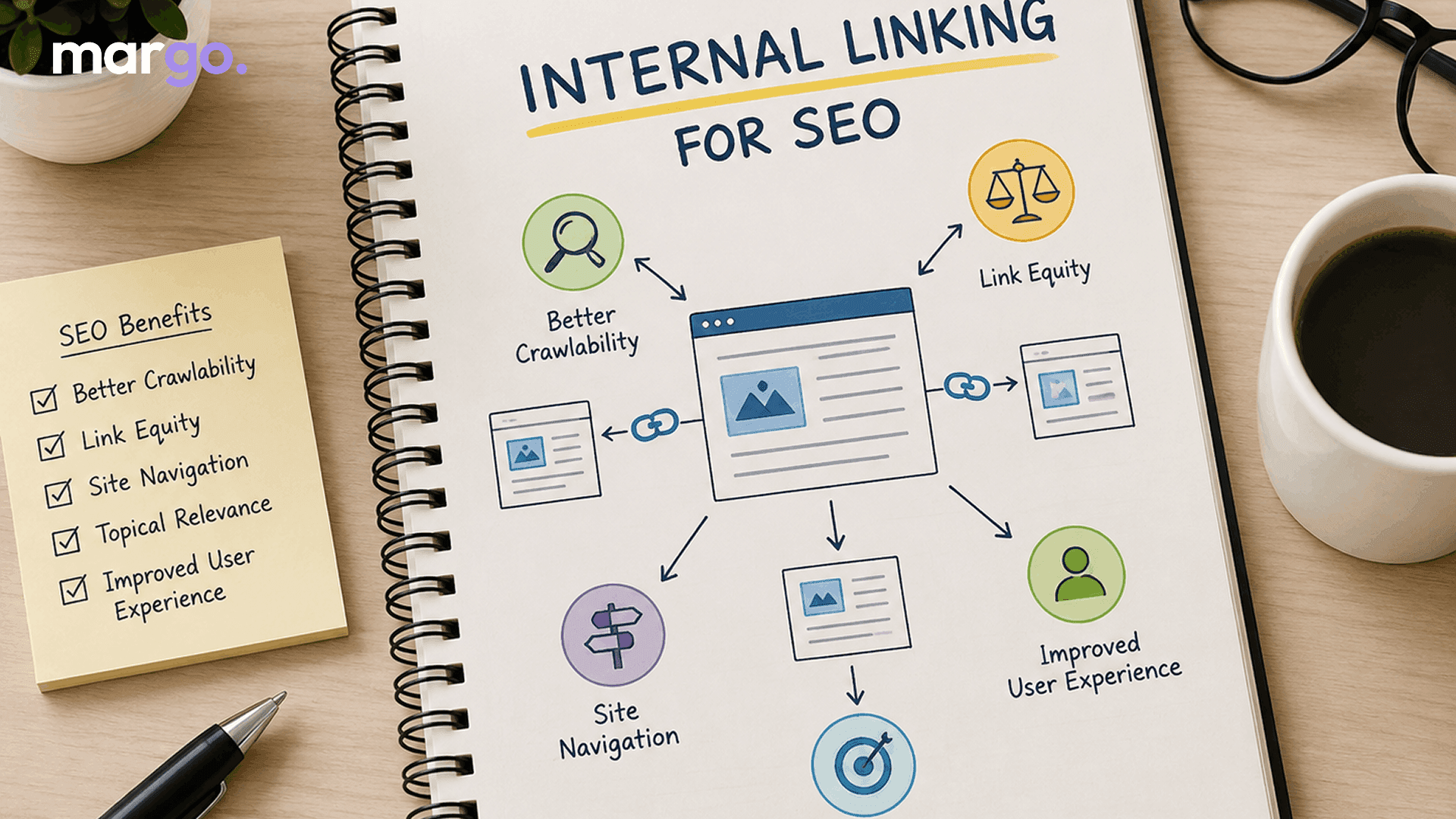
If you've done any research into search engine optimization you will probably have heard that "internal linking matters". But what does that mean tho, and why should you care? What is Internal Linking? Why is it important? How can you use it to boost your website's SEO? This guide will tell you all you need to know.
What Is Internal Linking?
You can link from one page on your site to another page on your site. This is known as internal linking. Internal links help people stay on your own site as they move from one piece of content to another. But external links take the people away to another domain.
Say you have a blog about fitness and you write an article called "10 Best Home Workouts." You could link to another article on your site called "How to Build a Home Gym on a Budget." That's internal linking. It links related content and helps people (and search engines) find more of what your site has to offer.
Internal and External Links
You need to know the difference between internal and external links to make a good SEO plan.
Links inside the same domain take you to other pages inside the domain. You distribute authority across your site, users can easily navigate your content, and your site structure makes sense.
Links to other sites will take you to pages of those other sites. They add more credibility to your content when they refer to reliable sources, and they add to your site's overall authority when other sites link to you.
Both kinds of links have pros and cons, but internal links are better because you can choose where they go, how many you use, and what anchor text you use. That's why internal linking is one of the easiest and least appreciated SEO strategies you can implement.
Importance of Internal Links for SEO
Internal links help search engines like Google to crawl your site and understand what it is about. When you put an internal link on a page, you are saying to search engines, "This page is important because it is related to that page." Here's a detailed look at how the internal links SEO strategy can help you.
1. Better Crawlability and Indexing
The links allow the search engine bots to crawl the web. An orphan page is a page on your site that no other internal page links to. This makes it harder for search engines to find and index it. A good web of internal links makes all of your important pages reachable, and thus their chances of ranking are increased.
2. Passes Link Juice (Page Authority)
Pages gain authority if other websites link back to them. Some pages on your site which are linked to from other pages on your site can benefit from that authority, sometimes called "link equity." That means if your homepage or a popular blog post links to a newer or less-visible page, that page can inherit the authority of the linking page to help it rank in search results.
3. Increases topical relevance
These links tell search engines how the pages and topics on your site relate to each other. Linking related articles together shows that your site knows a lot about the subject and is an authority on it. This can help your rankings for related keywords on more than one page.
4. Enhanced Site Navigation and User Experience
Internal links do more than one thing for your visitors. Place a link to an interesting article in the right place, and people will stay on your site longer and won't leave. Thoughtful linking to other pages on your website makes it easier for people to find what they need. This helps search engines rank your site higher because user engagement is one of the ranking signals.
5. Boosts Time on Site and Reduces Bounce Rate
You want people to stay longer on your site and look at more pages, because this will make search engines realize that you care about them more. Such exploration is naturally driven by internal links, especially if they are placed within useful and relevant content.
6. Highlights Your Most Important Pages
Not all these pages are alike. When you link to pages, search engines can tell which pages deserve the most attention and ranking power by how often you link to them. Your priority pages can be your cornerstone content, service pages or product pages.
Internal Links Example: How It Really Works?
Suppose you run an online store that sells kitchenware. You write a blog post titled "5 Must-Have Tools for Home Bakers."
That post can:
- Make the words "stand mixers" link to your stand mixers page.
- Link to a related blog post: "our beginner's guide to baking."
- Add "free shipping policy" to the Shipping page.
Each of these internal links has a different purpose. It helps the reader to find related content, it helps them to find products, and it helps the structure of your site as a whole.
Developing a Strong Internal Linking Strategy
A good internal link structure isn't just some random bunch of links. It's got logic. Here are the best ways to do things:
- Anchor text needs to be specific, not vague words like "click here". Instead, use anchor text that describes the content of the linked page. This helps search engines understand the subject of the link.
- Make sure the links go to content that makes sense; don't force them where they don't belong. Every link inside a page should be useful for the reader.
- Make sure that your most important pages get more internal links than your less important pages.
- Keep the number of clicks low. From your home page, you should only need a few clicks to get to important pages.
- Add links to newer posts from relevant older posts every time you publish something new.
- Then I'll just use the other one. The more links on a page, the less helpful they are and the harder they are for people to read.
Final Thoughts
But internal linking is one of the most powerful (and free) SEO tools you can use. It's not as flashy as keyword research or building backlinks. When done well, internal linking can help with crawlability, authority distribution, topical relevance, and user experience.
Start by checking your existing content for "orphan" pages. Then, naturally link related articles. Little changes to your internal linking, done consistently, can over time have a big impact on your search rankings.
Frequently Asked Questions
Internal links are links from one page of your website to another page of your website. This helps search engines to crawl your site and helps users to find content relevant to what they are viewing.
There is no set number, but a good rule of thumb is to only link where it really helps the reader. Depending on the length of the content, a page should have anywhere from a few to a dozen contextual links. Don't put too many links on a page just because you can.
Internal links to other pages within your site. External links are to pages on other domains. External links add credibility and context; internal links can improve your site structure and flow of authority.
Right. Internal links help search engines find your pages to index. They pass link equity on your entire site and show your pages as relevant to the topic. All of these can impact your page rankings.
An orphan page is just a page on your site that has no internal links pointing to it. So it is hard to find for SEO tools and people. One of the easiest ways to improve your site’s SEO is to add relevant internal links to orphan pages.